How Does AI Video Generation Work? A Brand Guide
How Does AI Video Generation Work?
AI video generation can turn text, images, scripts, audio, or existing media into video clips and video assets. The idea sounds simple, but the final result depends on the type of AI video, the quality of the input, the model being used, the prompts, editing, and review.
For brands and business teams, AI generation is only one part of the production process. A generated clip may still need structure, pacing, captions, sound, motion graphics, brand review, and final delivery. This guide explains how AI video generation works in plain English and where human creative direction still matters.

What Is AI Video Generation?
AI video generation means using artificial intelligence to create or assemble video content from prompts, images, scripts, audio, data, or existing media. It is a form of AI video creation, but not every AI-generated video is made in the same way.
Some AI video tools generate cinematic clips from a written prompt. Some animate a still image into motion. Some create AI avatar videos from a script. Others assemble stock footage, captions, templates, music, and brand assets into a finished-looking sequence.
There are also tools that support editing rather than generating everything from scratch. They may help with subtitles, audio cleanup, scene detection, visual effects, or video enhancement. This is why AI video generation should not be treated as one single process.
For business use, the question is not only whether the AI can create footage. The question is whether the output can communicate the right message clearly and safely.
AI Video Generation vs AI Video Production
AI video generation is one part of AI video production. Generation creates clips, visuals, or video elements. Production turns those elements into a clear video asset.
Term | What It Means | Example |
AI video generation | Using AI to create video clips or video elements | A text prompt creates a short product-style scene |
AI video production | The full process of planning, generating, editing, reviewing, and delivering video | A brand uses AI clips, voiceover, editing, captions, and final exports |
AI-assisted video editing | Using AI to support post-production tasks | AI helps with captions, rough cuts, or audio cleanup |
AI avatar video | A script is delivered by a virtual presenter | An onboarding video with an AI spokesperson |
AI-generated brand video | AI-generated assets are shaped into a branded video | A campaign visual edited with music, text, and motion graphics |
Generation is not the same as final delivery. Production includes the brief, concept, script, generation, editing, audio, captions, review, revisions, and final exports.
How Do AI Video Generators Work?
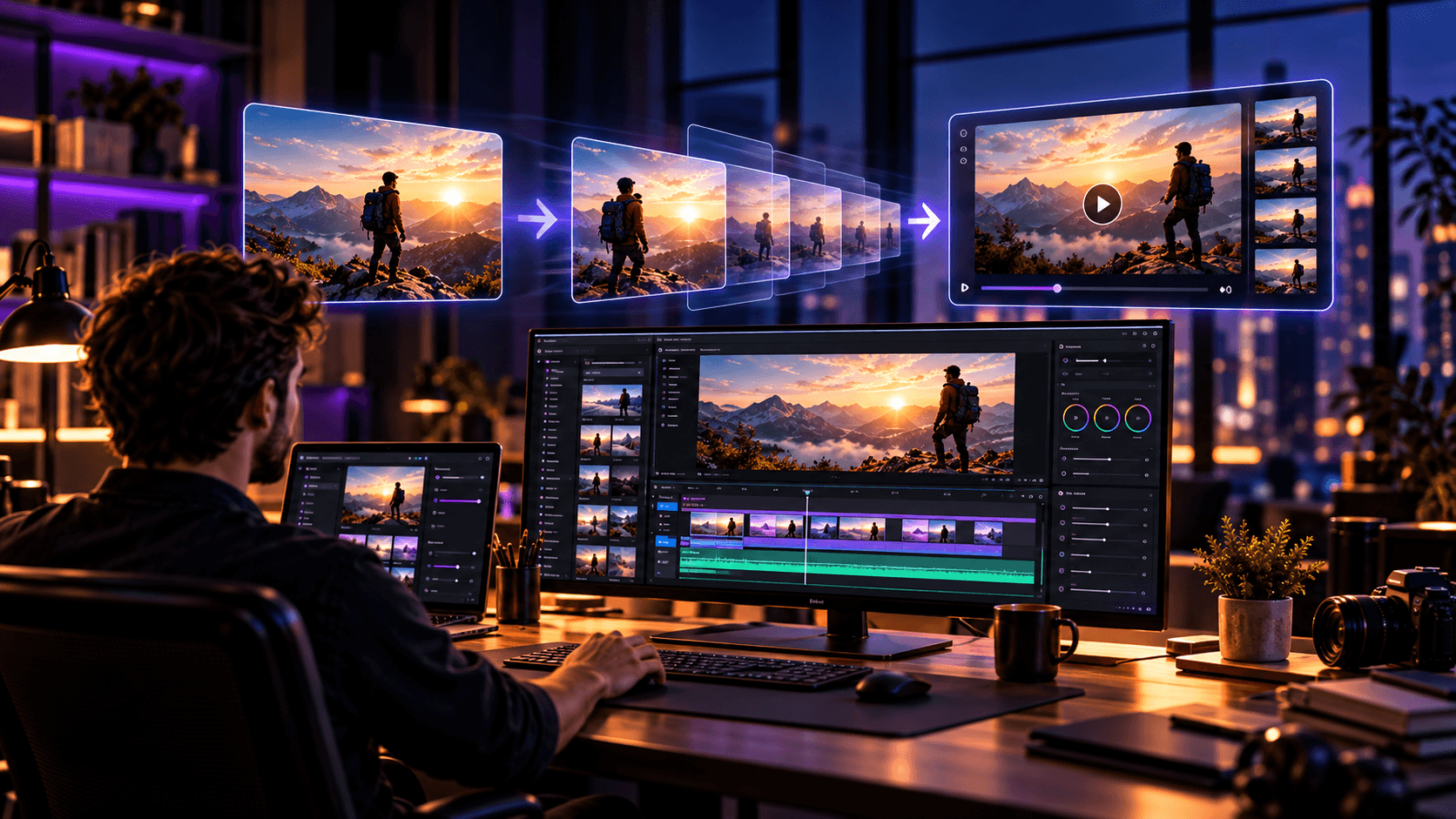
AI video generators work by taking an input and producing moving visual output from it. The process can be simplified into six steps.
In simple terms, the model has learned patterns from large amounts of visual and language data. When a user gives a prompt, image, script, or video input, the system tries to predict a sequence of frames that match the instruction. Good AI video generation is not only about creating one image after another. It also has to keep motion, lighting, subject appearance, camera movement, and scene consistency believable across time.
First, the user gives an input. This may be a text prompt, image, script, voiceover, product photo, brand asset, or existing video. Second, the system interprets the input and identifies the subject, style, motion, setting, and other instructions.
Third, the AI model predicts visual frames or video elements. It estimates what the scene should look like and how it should change over time. Fourth, the tool creates motion across frames, such as camera movement, subject movement, lighting changes, or animated transitions.
Fifth, the output is generated as a video clip or assembled sequence. Sixth, the user reviews the result, edits it, and regenerates scenes if needed.
The important part is review. AI does not always understand brand accuracy, product truth, emotional tone, or the exact business context. That is why generated clips need human judgment before they become final content.

What Inputs Can AI Use to Generate Video?
Better inputs usually create more controlled outputs. A vague prompt gives the model more freedom, which can be useful for experimentation but risky for brand work.
Input Type | How It Works | Best For |
Text prompt | Describes the scene, subject, style, and motion | Concept clips, visual tests, short scenes |
Image | Uses a still image as the visual starting point | Product visuals, character references, brand consistency |
Script | Turns written copy into scenes, avatar speech, or sequence ideas | Explainers, training videos, presenter-led content |
Audio or voiceover | Uses speech as timing or narration input | Avatar videos, captioned videos, narrated explainers |
Existing video | Uses footage as a base for changes or enhancement | Style changes, cleanup, visual experimentation |
Product image | Creates motion around a product reference | Product teasers, ecommerce visuals, website assets |
Brand assets | Uses logos, colors, graphics, or product screens | Branded social clips and campaign visuals |
Template or stock media | Assembles prebuilt clips, text, and music | Quick social videos or internal content |
The more specific the input, the easier it is to judge the result. For business videos, prompts should usually include the purpose, audience, tone, visual style, product details, and delivery format.
How Text-to-Video Generation Works
Text-to-video generation starts with a written prompt. The user describes the scene, subject, action, camera movement, lighting, style, duration, and mood. The AI model then creates a short video clip based on that description.
For example, a prompt may describe a clean product scene, a moving camera, soft studio lighting, and a modern technology style. The model interprets those words and generates frames that try to match the instruction.
Text-to-video gives strong creative flexibility because the user does not need original footage. It can help brands test concepts, create abstract scenes, or explore campaign visuals quickly.
The limitation is control. A text prompt may produce an interesting result, but the product details, character appearance, camera movement, or visual style may not stay consistent. This is why text-to-video often works best for concept visuals, background scenes, or creative exploration rather than precise product communication.
How Image-to-Video Generation Works
Image-to-video generation starts with a still image and adds motion. The image may be a product photo, concept frame, character reference, brand visual, illustration, or first frame. The AI uses that image as the visual base and creates movement from it.
This method can be more controlled than pure text-to-video because the starting point is already defined. A brand can provide a product image, campaign visual, or approved design frame and ask the model to add camera movement, depth, motion, or environmental changes.
Image-to-video can help with product visuals, social clips, website visuals, and campaign experiments. It is also useful when a team wants visual consistency across several clips.
The limitation is that motion may still be unpredictable. Product shapes can distort, hands may change, text may break, and scene details may shift. Image-to-video gives more control, but it still needs careful review.
How AI Avatar Videos Work
AI avatar videos usually combine a script, avatar, voice, lip sync, and facial animation. The user provides written copy, chooses or creates an avatar, selects a voice or language, and the tool generates a presenter-led video.
These videos can be useful for training, onboarding, internal communications, simple explainers, sales enablement, and language versions. They are often faster to produce than filming a real presenter, especially when the content needs frequent updates.
The main limitation is trust and tone. An AI presenter may work well for clear information delivery, but not every brand story should use an avatar. High-emotion messages, founder-led content, testimonials, or trust-heavy videos may still need real people.
A good avatar video still needs a strong script, clean pacing, captions, brand styling, and review. The avatar is the delivery method, not the strategy.
How Template-Based AI Video Tools Work
Some AI video tools do not generate original footage from scratch. They assemble videos using stock clips, templates, text overlays, transitions, captions, music, and brand kits.
These tools can be useful for quick social content, internal updates, simple announcements, recap videos, and lightweight marketing assets. A user may enter a script or topic, and the tool builds a video from available media and layout patterns.
The advantage is speed. The limitation is sameness. If a brand relies too heavily on templates, the output can feel generic or disconnected from the product.
Template-based AI video can support production, but it should still be shaped around the brand’s message, visual style, and audience.
How Video-to-Video AI Works
Video-to-video AI uses an existing video as the input and changes the style, background, subject treatment, or visual look. Instead of starting from text or a still image, the model uses real footage or an existing clip as the base.
This can help with style transfer, visual experimentation, enhancement, background changes, or cleanup. A brand might use it to test a different visual treatment on a product clip or create a stylized version of existing footage.
For business use, video-to-video needs careful control. If the source footage contains products, people, UI, or brand details, the output must be checked for accuracy. A visually interesting result is not useful if it changes something important.
Why AI Videos Often Need Several Attempts
AI video generation is not always one prompt and done. Several attempts are normal because the output can vary from one generation to the next.
Common issues include inconsistent motion, faces or hands changing, wrong product details, strange lighting, bad timing, weak camera movement, unusable clips, off-brand visuals, and prompt mismatch. A prompt may seem clear to a person but still produce an unexpected result.
This is why iteration should be planned into the workflow. A team may need to test several prompts, adjust visual references, regenerate clips, and select only the strongest outputs.
For brands, this matters because the cost and timeline are not only about generating one clip. They are about generating usable clips that survive editing, review, and final approval.
What Happens After AI Generates the Video?
After AI generates a video, the production work is not finished. The team needs to select the best clips, remove weak outputs, edit the sequence, add voiceover, add captions, add music, add motion graphics, match brand style, check product accuracy, review usage rights, and export final formats.
This is where AI-generated video becomes business communication. A raw clip may look impressive, but a finished brand video needs structure. It needs a beginning, middle, and end. It needs pacing, message clarity, sound, and visual consistency.
The post-generation stage is also where human review protects the brand. The team should check whether the visuals are accurate, whether the product is represented correctly, and whether the final asset can be used on the intended platforms.
Generation creates material. Post-production turns that material into something usable.
Where AI Video Generation Works Best
AI video generation works best when the use case allows creative flexibility and review. It is especially useful for concepting, versioning, and support visuals.
Use Case | Why AI Can Help | What Still Needs Review |
Concept visuals | Quickly explores creative directions | Brand fit and message clarity |
Short social clips | Creates visual options and cutdowns | Pacing, captions, platform fit |
AI product visuals | Turns product images into motion tests | Product accuracy and distortion |
AI UGC concepts | Tests informal ad-style ideas | Trust, tone, and authenticity |
Explainer support | Creates simple visual scenes or metaphors | Sequence and clarity |
Training videos | Supports avatar-led or captioned content | Accuracy and tone |
Localized content | Helps with language versions and avatars | Translation quality and cultural fit |
Campaign variations | Produces multiple visual routes | Consistency and rights |
Website visuals | Creates background or product-led motion | Loading needs and brand polish |
Motion-led brand assets | Supports visual experiments | Design consistency and editing |
AI can be powerful when the team knows what the clip is supposed to do. It becomes weaker when the expectation is vague, such as “make something impressive.”
Where AI Video Generation Still Struggles
AI video generation still struggles with long scenes, precise product accuracy, consistent characters, realistic hands or faces, complex multi-person scenes, specific dialogue, strong emotion, legal sensitivity, brand trust, continuity across scenes, and commercial usage rights.
These problems matter more for business videos than for casual experiments. A distorted product, inconsistent interface, or unnatural person can make a brand video feel unreliable.
AI can also struggle with continuity. One clip may look strong by itself, but the next clip may change the character, lighting, style, or setting. This makes longer stories harder to control.
These limitations do not make AI video useless. They show where creative direction, human review, editing, and quality control are needed.
Can AI Generate a Full Video?
AI can generate video clips, and some tools can assemble full videos from scripts, templates, captions, avatars, stock media, or generated scenes. But a finished business video usually needs more than generation.
A complete video needs a clear concept, script, edit, audio, captions, visual consistency, brand review, usage checks, and final delivery. A tool may create an early draft, but the team still needs to decide whether the video communicates the right message.
For simple internal content, an AI-generated video may be enough after light review. For brand campaigns, product visuals, commercials, explainers, or paid social content, more editing and quality control are usually needed.
How Long Does It Take to Generate an AI Video?
AI generation itself may take minutes, depending on the tool, model, resolution, duration, and system demand. Finished production can take longer because the team may need prompt testing, clip selection, editing, revisions, audio, captions, and brand review.
A short test clip can be produced quickly. A polished brand video may require several rounds of generation and review.
The useful question is not only how long the tool takes to generate. It is how long it takes to create an output that is accurate, usable, and approved.
How Lynxify Approaches AI Video Generation
At Lynxify, we look at AI video generation as one part of a wider production workflow. The starting point is not the tool. It is the communication goal, audience, format, and brand requirements.
A simple concept may work with text-to-video or image-to-video. A product-focused video may need stronger visual references, stricter review, motion graphics, and editing. An avatar-led video may work for clear information delivery, but not every brand story should use an AI presenter.
The goal is to use AI where it expands creative options or speeds up production while keeping human judgment in charge of message, accuracy, pacing, and final quality. For teams exploring AI Video Production, that balance matters more than the tool name.
Final Answer: How Does AI Video Generation Work?
AI video generation works by turning text, images, scripts, audio, or existing media into video outputs through AI models. These models interpret the input, predict visual frames or video elements, create motion, and produce clips or assembled sequences.
The main types include text-to-video, image-to-video, AI avatar videos, template-based tools, and video-to-video workflows. Each method gives different levels of control, realism, and flexibility.
The best business results come when AI generation is paired with creative direction, editing, brand review, and quality control. AI can create video assets, but people still decide whether the final video communicates clearly and represents the brand correctly.



FAQ
Frequently Asked Questions

How does AI video generation work?
AI video generation works by using machine learning models to interpret inputs such as text, images, scripts, audio, or existing videos. The model predicts visual frames, motion, style, and scene details, then generates a video clip or sequence. The output usually needs human review, editing, and quality control.
What is AI video generation?
AI video generation is the use of artificial intelligence to create or assemble video content from prompts, images, scripts, audio, data, or existing media. It can include text-to-video, image-to-video, avatar videos, template-based videos, or video-to-video workflows. Not all AI videos are fully generated from scratch.
How do AI video generators work?
AI video generators work by taking an input, interpreting the subject and instructions, predicting how the scene should look across frames, and creating motion over time. The user then reviews the output and may edit or regenerate it. Better prompts and references usually create more controlled results.
How does AI create videos from text?
AI creates videos from text by reading a prompt that describes the subject, setting, action, style, lighting, camera movement, and mood. The model then generates moving visuals based on that description. Text-to-video is flexible, but results can be unpredictable and may need several attempts.
How does image-to-video AI work?
Image-to-video AI works by using a still image as the starting frame or visual reference, then adding motion. This can create camera movement, subject motion, depth, or scene changes. It often gives more visual control than text-to-video, but product details and motion still need review.
Can AI generate a full video?
Can AI generate a full video?
What are the limitations of AI video generation?
AI video generation can struggle with consistent characters, realistic hands or faces, long scenes, precise product details, complex dialogue, continuity, emotional nuance, and commercial usage questions. These limits do not make AI useless. They show why creative direction, review, editing, and quality control matter.
Is AI video generation the same as AI video production?
AI video generation is not the same as AI video production. Generation creates clips or video elements. Production includes the full workflow: brief, concept, script, generation, editing, audio, captions, review, revisions, and final delivery. For brands, generation is usually one part of a wider production process.
Featured Blogs
How Does AI Video Generation Work? A Brand Guide
Lynxify’s Evolution: From Pitch Decks to a Multidisciplinary Creative Company

Finance Slide in a Pitch Deck: What Investors Want to See

Go-To-Market Slide in a Pitch Deck: Guide & Examples

Market Size Slide in a Pitch Deck: TAM, SAM & SOM

How Many Slides Should a Pitch Deck Have? 10–15 Slides

Business Model Slide: Show Investors How You Make Money

Product Roadmap Slide in a Pitch Deck: What to Show Investors?

Team Slide in a Pitch Deck: What Investors Want to See

Pre-Seed vs Seed Funding: Amounts, Stage & Key Differences

How Long Should a Pitch Deck Be? Slide Count Guide

What Investors Look for in a Pre-Seed Stage Pitch Deck

10 Common Pitch Deck Mistakes Founders Should Avoid

How Much Does a Pitch Deck Design Cost? Lynxify guide

How to Create a Pitch Deck for Investors

Traction Slide in a Pitch Deck: What Investors Want to See

Business Plan vs Pitch Deck: What Should Founders Use?